
The world of AI-powered creativity is evolving faster than ever, and Google AI Studio image generation is emerging as one of the most exciting innovations in this space. Designed for creators, developers, marketers, and designers, it bridges the gap between imagination and execution by turning text prompts into stunning, lifelike visuals within seconds. Whether you’re building apps, designing campaigns, or simply experimenting with creative concepts, Google’s new image generation tool offers endless possibilities.
In this guide, we’ll explore everything you need to know about Google AI Studio image generation, including how it works, its pricing structure for 2025, daily usage limits, creative capabilities, and even prompt examples to help you get started. By the end, you’ll have a clear understanding of how to use this tool effectively and unlock its full potential for your next big idea.
What is Google AI Studio Image Generation?
Google AI Studio image generation is Google’s latest innovation that brings imagination to reality, quite literally. It’s an AI-powered image creation tool that lets you turn your words into stunning, high-quality visuals in seconds. All you need to do is describe what you want, and the AI does the rest.
What makes it special is how accessible it is. You don’t need to be a designer or a tech expert, whether you’re a creator brainstorming ideas, a marketer building visuals for a campaign, or a developer exploring AI capabilities, Google AI Studio makes it effortless to generate realistic images from simple text prompts.
From concept art and product mockups to story illustrations and social media graphics, this tool helps you express creativity without limits, one prompt at a time.
How Does Google AI Studio Image Generation Work?
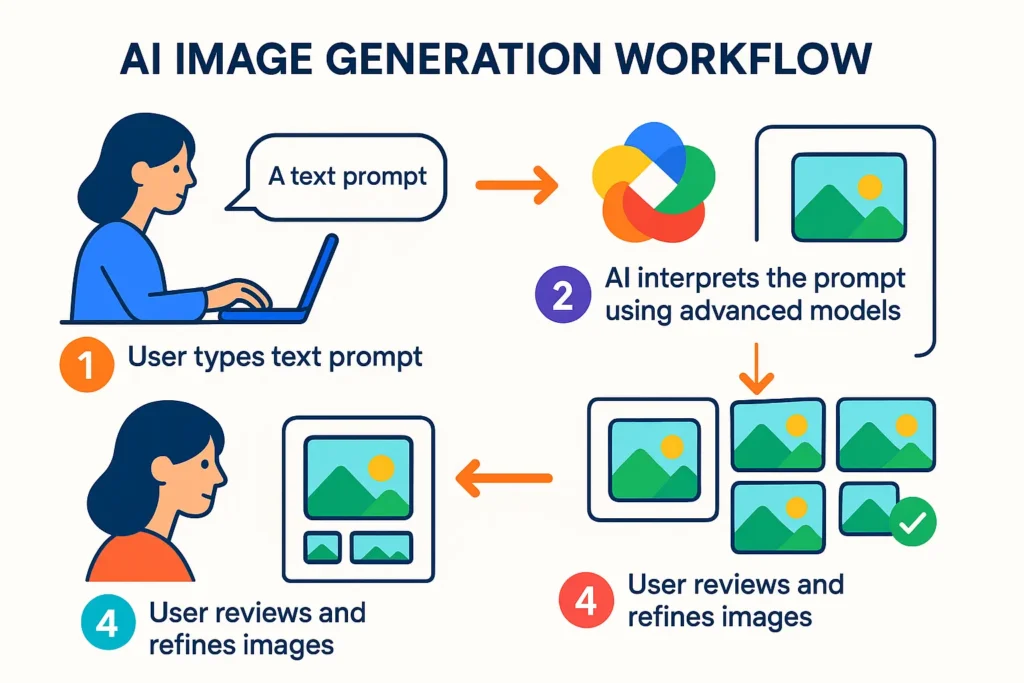
Google AI Studio makes creating images from text as easy as typing your imagination. It combines Google’s advanced diffusion models with a simple, guided interface so that anyone can turn an idea into a beautiful, high-quality image in seconds.
Here’s a detailed step-by-step breakdown of how it works:
Step 1: Log in to Google AI Studio
Start by signing in with your Google account at Google AI Studio. Once you’re in, you’ll see different model options. To generate images, choose the “Image Generation” or “Multimodal” mode, depending on what version or integration you’re using.
If you’re using Vertex AI or the Gemini API, make sure to select a model that supports image generation, like gemini-2.0-pro or Imagen.
Step 2: Write a Clear Text Prompt
This is the creative part! In the prompt box, describe precisely what you want to see. The more detailed and specific your prompt, the better your results.
Example prompt: “A cyberpunk city skyline at night, glowing with neon pink and blue lights, with flying cars and reflections on wet streets.”
Pro tip: Use descriptive words that define the style, lighting, mood, and objects. For example, “cinematic lighting,” “soft pastel tones,” or “hyperrealistic details.”
Step 3: (Optional) Add Reference Images
Google AI Studio allows you to upload a reference image to guide the AI’s style or composition.
For instance, if you want your final image to look similar to a particular art piece, sketch, or photo, upload it as a visual cue. This step is beneficial for designers and marketers who want brand consistency or a specific art direction.
Step 4: Adjust Generation Settings
Before generating, you can fine-tune several settings to get more control over your results.
- Aspect Ratio: Choose your preferred size, square (1:1), portrait (9:16), or landscape (16:9).
- Seed / Randomisation: Keep a specific seed if you want reproducible results.
- Image Strength / Iteration: Adjust how detailed or abstract the image should be.
- Model Type: Choose between different AI models (for instance, Imagen or Gemini-based generation).
These options help you experiment and tailor each generation to your needs, whether it’s for art, ads, or product design.
Step 5: Click “Generate”
Now comes the magic! Once you click Generate, Google’s diffusion model goes to work, transforming random noise into a coherent image by interpreting your text prompt.
In a few seconds, you’ll see multiple AI-generated image variations, each bringing your words to life in a slightly different way.
Step 6: Review the Results
After generation, you’ll usually get 3–4 variations. Take your time to look through them carefully and see which best matches your vision.
If the images aren’t quite right, don’t worry, the key is iteration. AI art thrives on refining prompts and re-generating.
Step 7: Refine or Regenerate
If you want to tweak your result, you can:
- Edit your text prompt (e.g., “make the lighting warmer,” or “add rain reflections”).
- Click Regenerate to get new versions based on your updated prompt.
- Use editing tools (if available) like erasing, cropping, or inpainting to modify specific elements.
Think of this as a creative loop; every small change in your prompt can produce a whole new artistic direction.
Step 8: Save or Export Your Image
Once you’re happy with the result, simply download or save your image. Google AI Studio often allows exporting in different resolutions or aspect ratios, depending on your plan or usage tier.
You can then use your AI-generated images for:
- Blog and social media visuals
- Product mockups and presentations
- Storyboards, concept art, or ads
Bonus: Try the Google AI Studio Image Generation Tutorial
If you’re a beginner, you can check out Google’s official image generation tutorial within the AI Studio. It walks you through prompt crafting, parameter tuning, and examples of how to get the most out of the tool.
What Are the Key Features of Google AI Studio Image Generation?
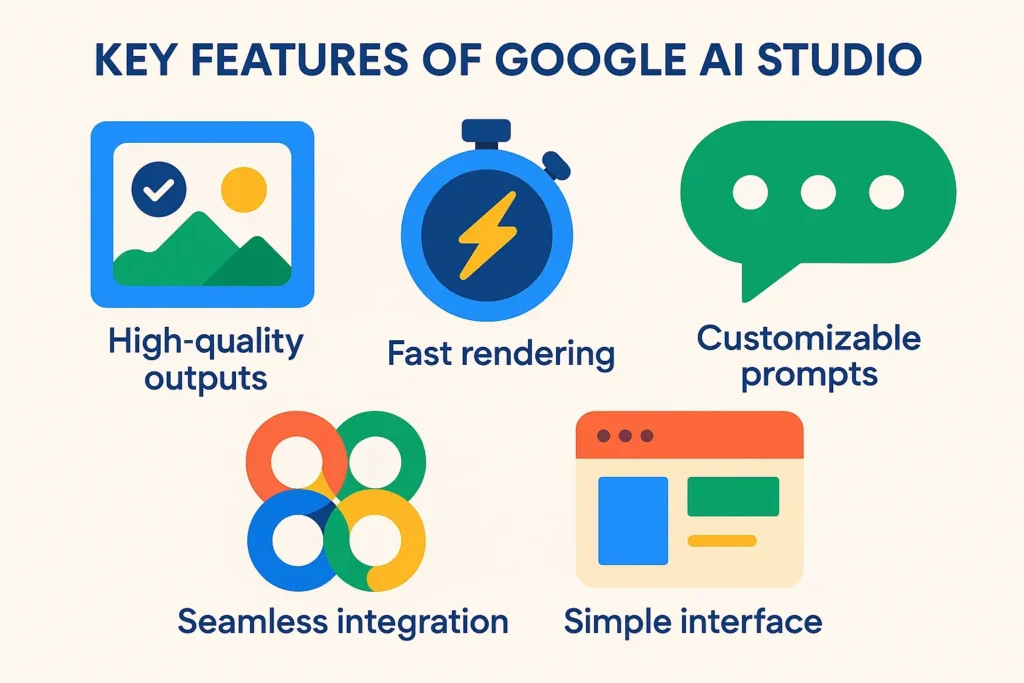
Google AI Studio image generation comes packed with cutting-edge features that make it one of the most powerful creative tools available today. Whether you’re a designer, marketer, developer, or just someone experimenting with AI art, here’s what sets it apart:
- High-Quality Outputs with Advanced AI Models: Google’s latest diffusion-based AI models ensure every image is sharp, detailed, and visually stunning. From realistic portraits to surreal landscapes, the tool understands your prompts and turns them into professional-grade visuals.
- Fast Rendering for Instant Results: You don’t have to wait long for creativity to take shape. Google AI Studio generates images within seconds, allowing you to experiment, tweak, and iterate without delays.
- Customizable Prompts for Creative Control: You can fine-tune the results by adding details about style, colour palette, lighting, composition, or mood. Whether you want a minimalist aesthetic or a vibrant cinematic look, the model adapts beautifully to your input.
- Seamless Integration with Google’s Ecosystem: The platform connects smoothly with other Google tools like Vertex AI, Google Cloud, and Workspace, helping teams streamline creative workflows, automate processes, and store visuals securely.
- Simple and Intuitive Interface: Designed for both beginners and professionals, Google AI Studio offers a clean, user-friendly interface. You don’t need technical expertise, just describe your idea and let the AI do the heavy lifting.
Together, these Google AI Studio image generation capabilities make it easier than ever to create high-quality visuals without expensive design software or steep learning curves. It’s creativity, powered by intelligence.
Are there Any Limits to Google AI Studio Image Generation?
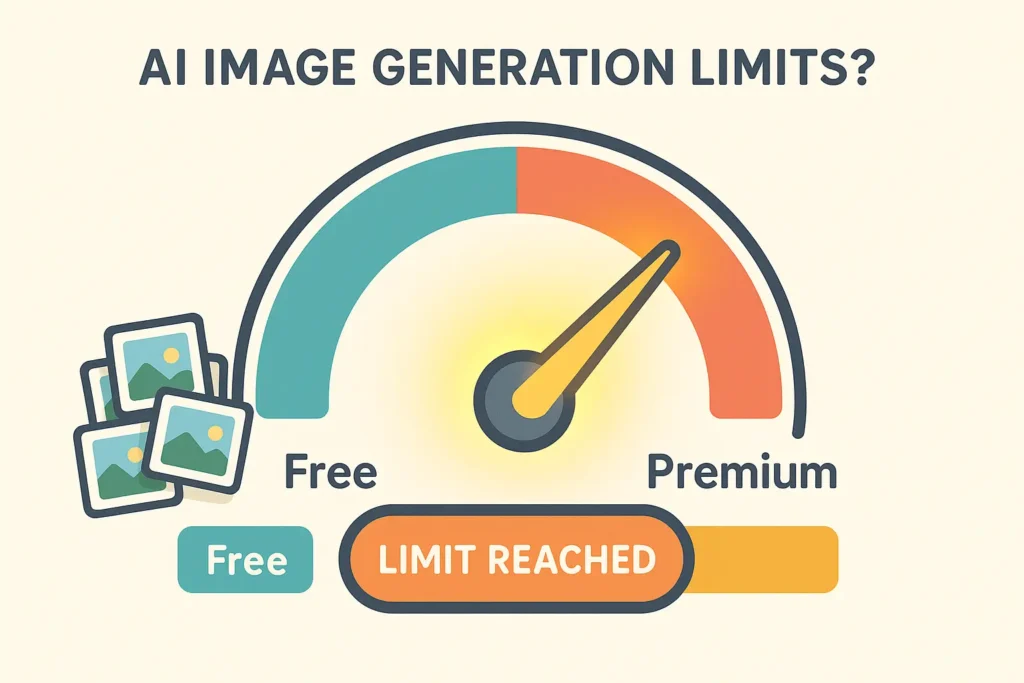
Yes, like most AI tools, Google AI Studio comes with certain limits to ensure fair usage and maintain system stability. Your image generation quota or daily limit depends on the type of account you have. Free-tier users typically have a limited number of image generations per day, while paid users can enjoy higher or even unlimited access.
If you’re on the free plan, it’s a good idea to keep an eye on your Google AI Studio image generation daily limit so you can plan your creative sessions effectively and make the most of each prompt.
How Much Does Google AI Studio Image Generation Cost in 2025?

Curious about Google AI Studio image generation pricing in 2025? Google offers a free tier, perfect for testing and basic image creation. For more extensive use, pricing scales are based on the number of images you generate and your overall usage.
The pricing model is designed to be flexible, catering to everyone from individual creators to small businesses and large enterprise teams. Premium plans often come with benefits like faster image generation, commercial usage rights, and early access to the latest features, making it easy to choose a plan that fits both your creative needs and your budget.
Can You See Google AI Studio Image Generation in Action?

Absolutely! Google AI Studio makes it incredibly easy to bring your ideas to life through AI-generated images. By simply typing a text prompt describing what you want to see, the tool interprets your words and creates visually stunning, realistic images.
Here are a few example prompts to try and see its full potential:
- “A futuristic car driving through a desert at sunset.”
This prompt demonstrates AI Studio’s ability to combine dynamic scenes, realistic lighting, and imaginative environments. - “A cosy coffee shop interior with warm lighting and vintage decor.”
Perfect for interior design mockups or social media visuals, this prompt shows how the AI captures mood and ambience. - “An astronaut standing on a candy-colored alien planet.”
This showcases the tool’s creativity and capacity to generate otherworldly, imaginative settings. - “Minimalist workspace with a laptop, coffee cup, and indoor plant.”
This is a practical example of professional visuals, ideal for blogs, presentations, or social media content.
These examples highlight just how flexible and imaginative Google AI Studio is. Whether you’re using it for professional projects, marketing visuals, or just experimenting for fun, the tool lets you visualise ideas that were previously difficult to create, all with just a few words.
Why Should You Try Google AI Studio Image Generation?
The reason is simple: it’s fast, powerful, and incredibly creative. Whether you’re a content creator, marketer, designer, or developer, Google AI Studio allows you to bring ideas to life instantly. With just a few words, you can generate visuals that would typically take hours or days to design manually.
What makes it even better is its clarity and accessibility. The tool offers transparent pricing, well-defined daily limits, and robust capabilities, making it easy to plan your usage without surprises. In 2025, it stands out as one of the most user-friendly and versatile AI design tools available, perfect for both professional projects and fun creative experiments.
In short, Google AI Studio doesn’t just generate images; it transforms ideas into visual reality quickly, reliably, and beautifully.
Bringing Your Ideas to Life with Google AI Studio Image Generation
Google AI Studio image generation is redefining the way we create visuals in 2025, making high-quality, professional images accessible to everyone, from creators and designers to marketers and developers. With its powerful AI models, intuitive interface, and advanced customisation options, the platform brings ideas to life quickly and efficiently.
Understanding the Google AI Studio image generation limits, including your daily limit and quota, helps you make the most of each creative session. In contrast, the Google AI Studio image generation tutorial offers guidance for beginners to master prompt crafting and fine-tuning. Whether you’re experimenting with Google AI Studio image generation prompt examples, exploring its full range of capabilities, or evaluating pricing options through the Google AI Studio image generation pricing 2025 plans, this tool ensures your creative process is seamless, flexible, and fast.
By leveraging these features, you can transform your concepts into stunning visuals in seconds, making Google AI Studio a must-have tool for anyone looking to push the boundaries of AI-driven creativity. Google AI Studio image generation is not just a tool; it’s a gateway to limitless imagination, empowering you to create, experiment, and innovate like never before.